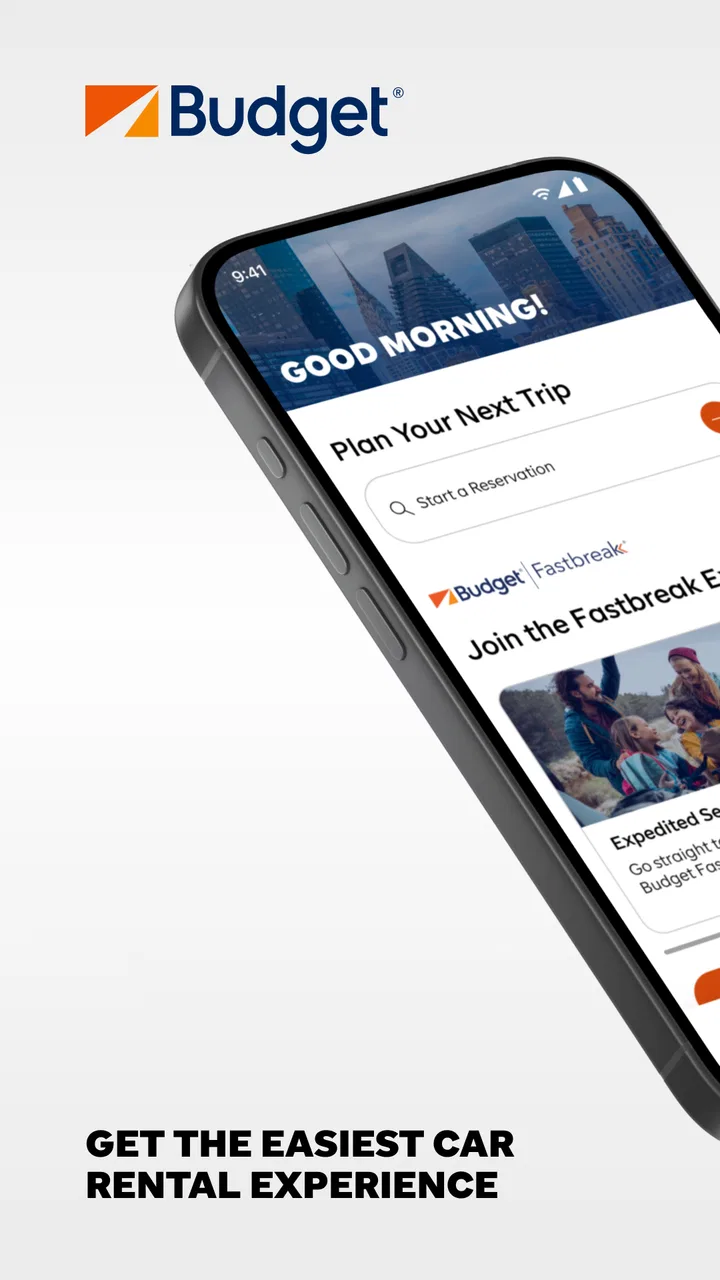
Budget Car Rental
- 4.6
- Rating
- 1.00M
- Installs
- Free
- Price

 Analysis by App-foxy
Renting a car can feel unnecessarily complicated when you are standing in an airport, comparing pickup times, or trying to remember which reservation details matter. Budget Car Rental is designed to put that process on a phone, and in my experience it is most useful when I treat it as a practical booking and rental-management tool rather than as a complete travel planner. It belongs in the Travel & Local category, is free to install, and comes from Avis Budget Car Rental LLC.
The first thing I noticed is that the app makes the most sense when I already know the broad shape of my trip. I can use it to look for a Budget rental car, review the available choices, and keep the reservation process in one place instead of switching repeatedly between a browser, email, and notes. That focus is also its main limitation: it is not trying to replace every travel service, and people who want flights, hotels, maps, and car rental in one combined itinerary may prefer a larger travel platform.
What the first-time experience is really like
After installing Budget Car Rental, I would begin with the practical details rather than browsing randomly. The useful starting point is the rental location, followed by the dates and times that fit the trip. This sounds obvious, but pickup and return timing can change which options are sensible, especially when the car is needed for only part of a journey. I recommend having the exact airport, neighborhood, or city branch in mind before searching.
You May Also Like

 Blood Strike: 2.5 Anniversary
Blood Strike’s Loadouts Turn Every Drop Into a Tactical Gamble
A close look at Blood Strike’s custom loadouts: how fast access to signature weapons reshapes its battle royale rhythm, rewards preparation, and narrows the gap between fights.

 Pandora - Music & Podcasts
Pandora’s Music Is Easy to Start, but Harder to Recover
Pandora’s strength is its low-effort path from a seed to a station. Its weak spot is how much confidence it asks you to place in connection, setup, and quiet recovery.

 8 Ball Pool
 Is Built on Rivalries, Rematches, and Routine
A close look at the rivalries, rematches, shared routines, and unanswered safety questions that turn a quick pool match into a persistent mobile community.

 Samsung Music
’s Quiet Strength Is Playing What You Already Own
Its reach comes less from spectacle than from dependable access to a personal library. That simplicity is both the app’s strongest retention engine and its ceiling.

 AccuWeather: Weather Radar
AccuWeather Review: A Quick, Clear Forecast for Everyday Decisions
For everyday plans, the best forecast is the one you can understand quickly. AccuWeather makes rain timing, radar, and local conditions easy to act on, with a few trade-offs.

 Hill Climb Racing
Why Hill Climb Racing Still Turns Crashes Into One More Run
A tiny car, a bumpy hill and one more upgrade: Hill Climb Racing keeps resurfacing because its simple chaos makes every near-miss feel personal.
More From Our News Desk



The app has been available since June 27, 2012, so it is not a newcomer trying to explain car rental from scratch. Its current version is 14.1, and it supports Android 7.0 and later. That broad compatibility makes it approachable for people using an older Android phone, although the experience will naturally depend on the device, connection, and how smoothly the local rental process is operating.
Budget’s store summary describes it as a budget-friendly rental car service, and that is the right expectation. I would not install it expecting a comparison marketplace that searches every rental company. The app is centered on Budget vehicles and the steps connected with a Budget booking. That narrower purpose can be a benefit when I have already chosen the company, because fewer unrelated results stand between me and the reservation.
One useful habit is to decide what matters most before choosing a vehicle. A low displayed rate may not be the best choice if the car is too small for luggage, the pickup location is inconvenient, or the return time creates stress. I look at the entire rental plan: where I will collect the car, where I will leave it, how much driving I expect, and whether the vehicle suits the people and bags traveling with me.
The app has a 4.6 average from around 14 thousand ratings, with roughly 3.7 thousand written reviews, and it has passed one million installs. Those figures suggest that many people use it successfully, but they should not be read as a promise that every reservation will be effortless. Car rental depends on location, vehicle availability, identity checks, timing, and the counter experience. The app can organize the transaction; it cannot remove every real-world variable.
Setting up a search without creating avoidable problems
For a first search, I would enter the location carefully instead of accepting the first suggestion automatically. Airports and city branches can have similar names, while a branch that looks close on a map may be inconvenient without public transport or a taxi. If the trip involves a flight, I would also think about the difference between the scheduled arrival time and the time I will realistically reach the rental desk after collecting luggage.
The same care applies to the return. A return time that looks convenient on the phone may be difficult after a long drive, and a late arrival can create extra uncertainty if the location has different operating arrangements. I would rather choose a realistic time than build the whole trip around an optimistic estimate. This is one of the most important first-time lessons because changing plans later can be more annoying than entering them correctly at the beginning.
I also keep the confirmation details accessible after finishing the booking. Even when an app stores reservation information neatly, I prefer to know where the reservation number, pickup location, and scheduled times are shown before I need them. That small check is worthwhile at home, when I have time to correct a mistake, rather than in a queue with luggage beside me.
Budget Car Rental is rated for Everyone, which makes the app suitable from a content perspective for a wide audience. That does not mean every person can rent a car under the same conditions. Driver eligibility, payment requirements, deposit rules, insurance decisions, and local rental terms are separate matters that I would review before relying on a reservation. The app is a convenient interface, not a substitute for reading the conditions attached to the rental.
Reaching the first meaningful success
For me, the first meaningful success is not simply opening the app or finding a vehicle. It is completing a search with the correct location and schedule, selecting an option that fits the trip, and reaching a clear reservation confirmation that I can retrieve later. That gives the app a practical purpose and tells me whether it is going to help with this particular journey.
I would take the process in a calm order. First, I would verify the collection point. Next, I would check the dates and times. Then I would compare the available vehicle choices with the actual needs of the trip instead of choosing only by the first visible price. Finally, I would review the reservation details once more before treating the booking as finished.
A realistic example is a weekend visit where I arrive by train, collect a car near the station, drive to a rural area, and return it before heading home. In that situation, the app is helpful because I can focus the search on the branch that matches my route and avoid making the rental decision at the last minute. I would still confirm how I will reach the branch and where the car must be returned, since a convenient booking screen does not guarantee a convenient physical location.
Another useful scenario is a work trip where the schedule is already fixed. I can enter the known travel window, choose a vehicle appropriate for one person or a small team, and keep the reservation information available on the same phone I will carry during the trip. This is less about discovering a perfect deal and more about reducing the number of separate tasks I need to remember.
When I compare the app with using a mobile browser, the dedicated app feels more natural for someone who rents from Budget repeatedly. The company name and rental flow are already familiar, and I do not need to begin with a general web search. A browser can be better when I want to compare Budget with several other companies at once, or when I am using a desktop screen to examine a complicated itinerary.
Where first-time users may hesitate
The most common confusion is assuming that the cheapest-looking option automatically represents the full cost or the best value. Car rentals involve more decisions than the headline amount: vehicle size, location, timing, protection choices, and the practical conditions of collecting and returning the car all matter. I slow down at every summary screen and read the wording instead of tapping through simply because the option looks inexpensive.
A second point of friction is the difference between reserving a category and expecting a particular model. I approach the vehicle selection as a guide to the type and size of car I need, not as a guarantee that the exact color or model will be waiting. That mindset prevents disappointment and helps me choose based on luggage, passengers, and driving conditions rather than on a single appealing image.
It is also easy to confuse the app’s role with the role of the rental counter. The phone can help me search and manage the reservation, but I should still arrive with the information and documents required for the rental. If I have questions about coverage, additional drivers, deposits, or local restrictions, I want those answered before I am standing at the desk with a line behind me.
Another trade-off is that a focused company app may not give me the broadest view of the market. If my priority is finding any available car at the lowest possible cost, a comparison service may be a better first stop. If my priority is handling a Budget reservation with less searching and fewer unrelated choices, the dedicated app is more direct. I would choose between them based on that goal rather than assuming one tool is always superior.
Connectivity is another practical consideration. I would not depend on a rental app as my only source of travel information during a long journey. Before leaving reliable internet access, I save the important reservation details in a form I can reach quickly and keep the pickup address available. That is not a criticism unique to Budget; it is simply sensible preparation when a car collection is tied to a precise time and place.
Small habits that make the rental smoother
One of my strongest recommendations is to compare the rental location before comparing the car. A branch that requires an expensive transfer or a long walk with luggage can erase the benefit of a lower rate. For airport travel, I think about the route from the arrivals area to the rental facility and the time needed to return the car before a flight. For city travel, I consider whether collecting the car immediately is actually useful or whether public transport would be easier for the first day.
I also separate “needed” from “nice to have.” If I am driving alone with one small bag, a compact option may be perfectly practical. If several people are traveling with large cases, choosing the smallest available vehicle can create discomfort for the entire rental. This simple decision rule is more useful than trying to predict which option looks best from a short description.
Before confirming, I read the schedule aloud to myself: pickup location, pickup time, return location, and return time. That catches errors that are easy to miss when scanning a screen. I then check that the reservation is visible after completion. If the journey is important, I take a private note of the confirmation details as a backup, while avoiding unnecessary sharing of personal or booking information.
For a repeat renter, the app can become a convenient starting point because the basic process is familiar. I still repeat the location and timing check every time. A previous rental may have been collected at an airport, while the next trip may use a downtown branch, and assuming that the same arrangements apply is exactly how small mistakes become expensive inconveniences.
The app is also a reasonable option for someone who wants a straightforward first step without paying for the software itself. It is free, and its Everyone content rating removes one concern for families sharing a device. The actual rental cost remains a separate matter, so I would never interpret free installation as meaning that the trip itself is free or that every optional decision has no cost.
Who should use it and who should look elsewhere
I would recommend Budget Car Rental to a traveler who already wants to rent through Budget, knows the general travel dates, and values a dedicated mobile route from search to reservation details. It is particularly sensible for people who rent from the company more than once, travelers who want their booking close at hand, and anyone who prefers a focused interface over a large travel marketplace.
I would be more cautious recommending it to someone who is still deciding between many rental companies. That person may get more value from a comparison tool first, then use the Budget app if Budget offers the right location and vehicle. I would also suggest another approach for travelers whose plans change constantly or who need a complete package covering flights, accommodation, transport, and activities in one itinerary.
People with complicated requirements should take extra time before confirming. A large group, unusual pickup arrangement, cross-location return, or strict business schedule can make the rental terms more important than the convenience of the app. In those cases, the app can still be useful for locating the reservation, but I would not let a smooth digital flow replace direct clarification when a detail could affect the trip.
My overall view is positive but practical. Budget Car Rental does not need to do everything to be useful. Its strength is giving Budget customers a clear place to begin and a mobile way to keep track of the rental process. Its weakness is the same narrow focus: it does not replace broad comparison shopping or careful reading of rental conditions.
After installing it, I would aim for one simple result: create or retrieve a rental plan that matches the real journey, then verify the details before travel day. That approach makes the app reassuring for a first-time user without asking it to solve problems that belong to the rental location, the vehicle supply, or the wider trip. For a focused Budget booking, the best experience comes from using the app as an organized starting point and pairing it with careful planning.
In the end, I see Budget Car Rental as a useful companion for people who have already chosen Budget and want the convenience of handling the rental from a phone. It is free, widely used, and compatible with Android 7.0 and later, while its 14.1 release keeps it current for supported devices. I would install it before a planned rental, check the branch and schedule twice, and keep the confirmation available. That small amount of preparation is what turns the app from a simple download into something genuinely helpful on the road.
FAQs for Budget Car Rental
01What features does the Budget Car Rental app offer?
The Budget Car Rental app provides a seamless experience for booking vehicles on the go. Users can easily search for available cars, modify bookings, and access exclusive deals. Additionally, the app offers features like location-based services, rental history tracking, and quick reservations, making it convenient for frequent travelers.
02Is the Budget Car Rental app available for both Android and iOS?
Yes, the Budget Car Rental app is available for both Android and iOS devices. Users can download it from the Google Play Store for Android or the Apple App Store for iOS. This ensures a wide range of accessibility for users regardless of their smartphone platform.
03Does the app offer any special discounts or promotions?
The Budget Car Rental app often features exclusive promotions and discounts that are only available to app users. These can include percentage discounts, free additional driver options, or mileage bonuses. Checking the app regularly can help you stay updated on the latest deals and save money on your rentals.
04Can I manage my reservations and rental history through the app?
Yes, managing your reservations and rental history is straightforward with the Budget Car Rental app. Users can view upcoming bookings, make changes to existing reservations, and review past rentals directly through the app. This feature provides a convenient way to keep track of all your car rental activities.
05What support options are available if I encounter issues with the app?
If you experience any issues with the Budget Car Rental app, support is readily available. Users can contact customer service directly through the app or via phone. The app also includes a comprehensive help section with FAQs and troubleshooting tips to assist in resolving common problems.
Pros
- Easy booking process with user-friendly interface.
- Wide range of vehicles to choose from.
- Competitive pricing with frequent discounts.
- Convenient pick-up and drop-off locations.
- 24/7 customer support for assistance.
Cons
- Limited availability in smaller cities.
- Some hidden fees may apply.
- Occasional long wait times at counters.
- Mixed reviews on customer service quality.
- App requires constant internet connection.

Budget Car Rental
Gallery